Photography workflow

摄影师小助理
Keep clients, bookings and shoot schedules together.
Organize client details, photography orders, appointments, deposits, balances and image attachments in one place.
1. Introduction
Built for independent photographers and studios, 摄影师小助理 brings clients, photography orders and appointments into one place.
- Keep client contact details, notes and related orders together.
- Record shoot details, amounts, deposits, balances and image attachments.
- Review makeup trials, test shoots and shooting appointments from the overview and calendar.
- Check order statistics and recognize text in images to help organize requirements.
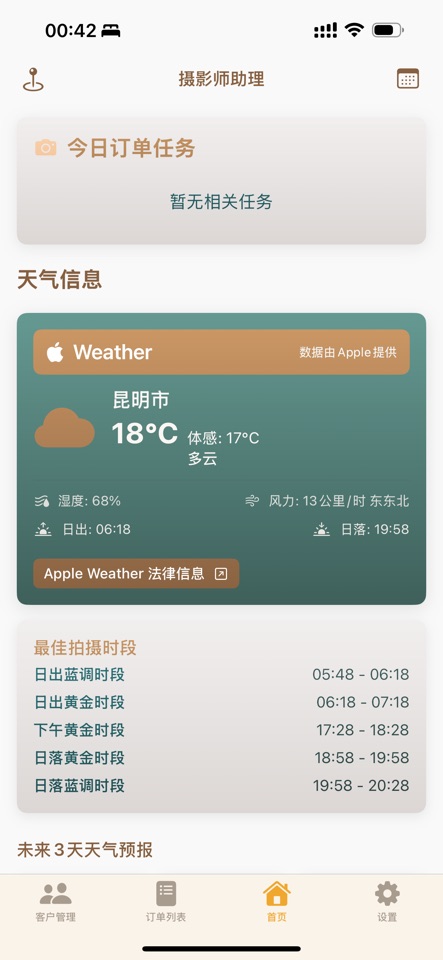
- Consult weather and sunrise/sunset guidance when planning outdoor shoots.
The current public App Store version is 1.1, requiring iOS / iPadOS 17.3 or later. Weather needs an internet connection and is planning guidance. No specific productivity gains, user counts or delay-free results are promised.
2. Detailed instructions
1. Create a client
Open client management and add the name, contact details and notes you need. Use the system photo picker to select relevant images. Make sure you have appropriate permission to handle client information.
2. Add an order and appointments
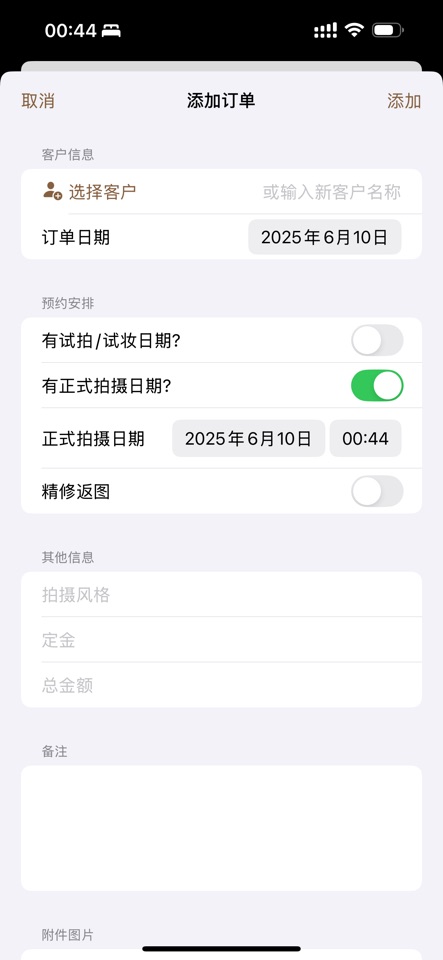
Create an order, associate the client and enter the shooting style, dates, amount and notes. Check makeup trials, test shoots and the main shoot separately before saving. Review the calendar again after changing a date.
3. Review the day and weather
Use the overview and calendar to check upcoming work. Weather can use your current location or a selected place. With location permission, the app requests forecasts from Apple; denying location does not prevent client or order management. Check actual conditions before outdoor work.
4. Maintain amounts and attachments
Check the total, deposit and balance against real payment records. A past shoot date is not proof of payment. Review statistics against your source records. Text recognition can assist with information in order images; verify the result before using it.
5. Update and delete
Maintain records in the corresponding client or order. Check linked information before deleting. Removing the app affects local data; system backups and shared copies need separate management. This website does not promise cloud synchronization or remote recovery.
Version scope
These instructions describe public version 1.1. Themes, three interface languages, delivery tasks and actual-payment statistics in the local 1.2 development version are not presented as released features. Screenshots come from the existing App Store listing, not 1.2. Check the current App Store version.
Screenshots
AILIFE LAB
Get the app
Information checked · 2026-10-23